
Press kit
Kanso Space
One calm place for everything you save for later. Share it from any app, AI sorts it, and you ask for it in your own words.
At a glance
- Name
- Kanso Space (stores: “Kanso Space: AI Link Saver”)
- Developer
- Jose Yébenes, independent developer
- Based in
- Spain
- Released
- App Store, September 2026 · Google Play, October 2026
- Platforms
- iPhone, iPad and Android
- Languages
- English and Spanish
- Price
- Free, with an optional Pro subscription
- Website
- kansospace.yebenes.dev
What it is
In one sentence
Kanso Space is a mobile app that saves links, photos and screenshots from any app and uses AI to summarise, tag and connect them, so you can later ask your own library questions in plain language.
In one paragraph
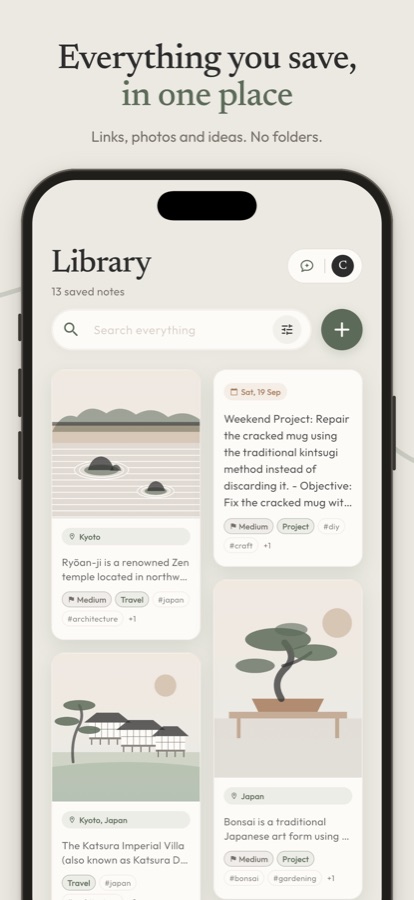
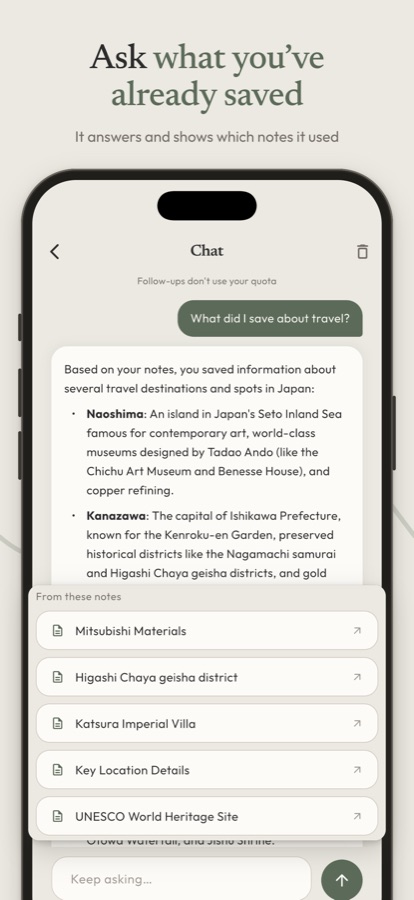
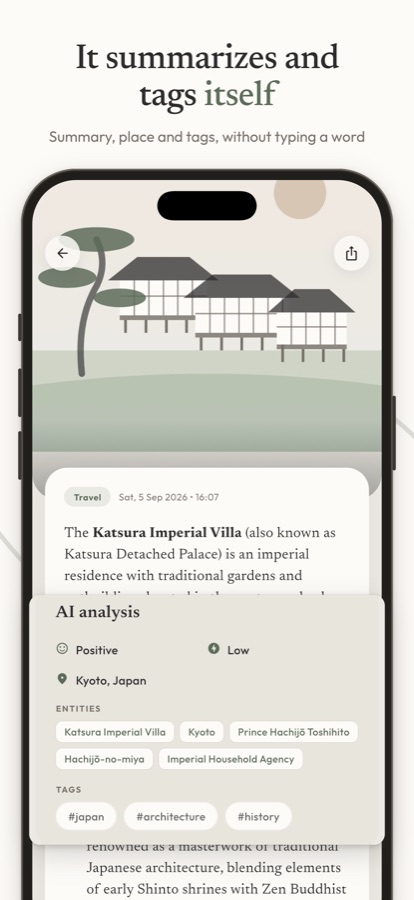
Kanso Space is one inbox for everything people save “for later” and never look at again. You share a link, a photo or a screenshot to Kanso from Instagram, Safari, TikTok or any other app, and that’s it: no folder to pick, no tags, no title. In the background, AI reads the whole page, writes a short summary, picks a main tag, pulls out dates and places, and links the note to related things you saved before. Later you can ask “what did I save about Lisbon?” and Kanso answers from your own notes, showing which ones it used. Shared spaces let you collect a trip or a renovation with someone else, and the person you invite joins for free. The design is Japandi-inspired and deliberately calm: light and dark themes, and no red notification badges.
The problem
People save things in a dozen places — Instagram saves, screenshots, reading lists, chats with themselves, open tabs — and go back to almost none of them. Saving becomes a way of not deciding. Note apps ask you to organise at the very moment you just want to keep something, and that friction is why the folders stay empty and the camera roll fills up.
Kanso takes the opposite approach: capture costs nothing, and the order shows up afterwards, on its own.
How it works
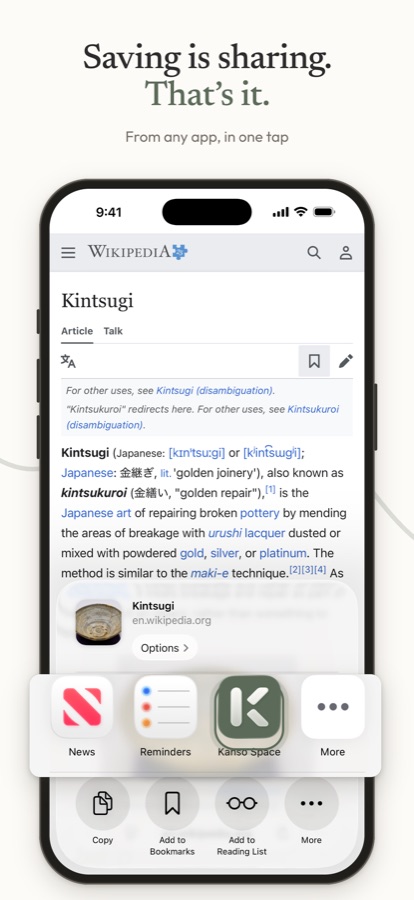
- Save from any app. Kanso lives in the system share sheet. Share a link, a photo or a video and get on with your day.
- It sorts itself out. AI reads each item (the full page, not just its title), summarises it, tags it, finds dates and places, and connects it to related notes.
- Ask your library. Ask in your own words and Kanso answers citing your notes, so you can open the source and check.
- Share a space. A trip, a renovation, a list of restaurants: whatever anyone saves there, everyone sees. Invitees join for free.
Pricing
Free
20 AI-organised notes a month, forever. Saving beyond that is unlimited: those notes keep the link preview, without the AI summary and tags.
Kanso Pro
$4.99 a month or $39.99 a year in the US (€4.99 or €44.99 in Spain), with a 7-day free trial. 500 AI notes and 100 conversations with your library a month.
Billed through the App Store or Google Play. Prices vary by country. No ads, and your content is not used to train public AI models.
Download the app
If you are reviewing the app and would like Pro access, write to jose@yebenes.dev.
Screenshots
iPhone screenshots at 1320 × 2868, with the store frame and headline, and the raw screens without it.
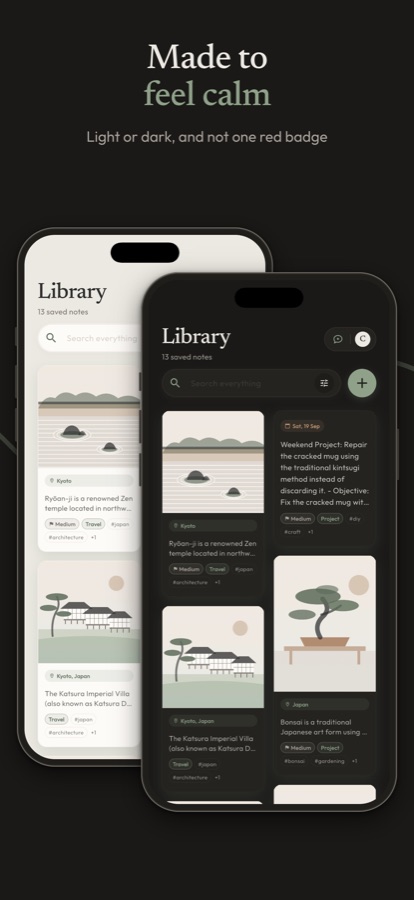
All screenshots, English (ZIP, 7.4 MB) Spanish (ZIP, 7.7 MB)
Logo and app icon
-

App icon
-

Logo for light backgrounds
-

Logo for dark backgrounds



Logo and icon, all versions (ZIP, 320 KB)
- Moss
#5C6B59on light backgrounds, paper#FDFBF7on dark ones. - Leave some air around the logo, and don’t recolour, stretch or add effects.
- The icon is a full square; phones and stores add the rounded corners.
Video
A one-minute demo of saving, sorting and asking: watch on YouTube.
About the developer
Jose Yébenes is an independent developer based in Spain. Kanso Space is the first app he has shipped on his own: it began in November 2025 as a “chat with yourself” app and was rebuilt in February 2026 as the library it is today. He designs, builds and runs it alone, with Flutter and Firebase.
Contact
For interviews, questions or Pro access for a review: jose@yebenes.dev. Answers in English or Spanish.